
Gaming Table
How to Choose the Best Monitor Arm for Your Setup
Sep
For anyone who spends a lot of time in front of a computer, a monitor arm can make a noticeable difference. It helps position your monitor at just the right height, reducing strain on your neck and back. Maybe you’ve noticed discomfort when using a monitor that sits too low on your desk or isn’t quite at eye level. A simple adjustment could solve this problem and improve your overall experience.
Monitor arms aren’t limited to comfort. They also offer practical advantages. They give your desk a cleaner look by clearing up space, allowing you to be more organized. They’re great for multi-monitor setups too, giving you flexibility to adjust each screen independently. Whether you’re a gamer or just need a better setup for work, a monitor arm can be a valuable addition.
Benefits of Using a Monitor Arm
1. Enhanced Ergonomics: Say goodbye to neck and back pain. Adjust your monitor to line up with your eyes and reduce physical stress.
2. Increased Desk Space: Free up your desk by mounting your monitor. Create a more open and tidy workspace.
3. Customizable Viewing: Tilt, swivel, and adjust the height of your monitor for the best viewing position. This is handy for avoiding glare or just finding your personal sweet spot.
4. Supports Multi-Monitor Layouts: Stacking monitors is a breeze. Position each screen exactly how you want, perfect for gaming or working with multiple applications.
These features provide more than just comfort. They offer daily function and flexibility, especially for those who use their setup for extended periods of time. Whether you’re tackling projects or engaged in long gaming sessions, a well-placed monitor arm can change your experience for the better.
Key Features to Look For
When picking a monitor arm, there are a few key features that ensure you’re getting something that fits your needs.
First, check the arm strength and compatibility. Your monitor’s weight and size must match the arm’s specifications. Each arm will list a maximum weight and supported screen size. Make sure your monitor falls within that range to avoid balance issues or sagging arms.
Next is adjustability. A good monitor arm allows for movement in all directions. Tilt, swivel, rotate, and height adjustment features make it easier to position your screen exactly how you want it. This kind of flexibility is especially useful if you switch tasks often or share your space with others.
Build quality is just as important. Look for a monitor arm made from high-grade materials such as steel or aluminum. Quality craftsmanship gives better support and keeps your screen secure. It also means the arm will last longer, saving you from replacing it frequently.
Monitor arms that come with added features like cable management systems can also make your workstation cleaner and more organized. These small design touches help keep cables out of your way while maintaining a tidy appearance.
Comparing Different Types of Monitor Arms
Monitor arms come in a variety of styles, each suited to particular types of workspaces and user needs.
Start with fixed versus adjustable arms. A fixed arm holds your monitor in one static position. These are simple and ideal if you always use your screen at the same angle and height. An adjustable arm allows movement—whether you’re standing, sitting, or leaning back, the monitor adjusts to you. Adjustable arms work well for desks used by more than one person or for users who want to fine-tune their setup multiple times a day.
Then think about single versus dual or multi-monitor arms. If you only use one monitor and don’t plan to add another, a single monitor arm does the job just fine. But if your workflow involves multitasking or gaming with multiple displays, a dual or multi-monitor arm lets you mount multiple screens side by side, stacked, or even angled based on your needs.
Also consider the mounting style. Desk-mounted arms clamp or bolt directly to your workspace. These are by far the most common and easiest to install for most users. Wall-mounted options are another choice, freeing up your full desk surface and creating a cleaner visual look. Keep in mind that wall-mounted arms need a strong wall and typically involve more permanent installation. Your choice depends on layout, preferences, and available space.
Understanding your style of use will help you narrow down which type of arm will best serve your day-to-day tasks, whether it’s streaming games, handling spreadsheets, or editing videos.
How To Choose the Right Monitor Arm for Your Setup
At this point, you’ve seen the many benefits and options available. The next step is figuring out what works best in your specific workspace.
Start by evaluating your work area. Is your desk compact? Do you share your space with others or sometimes move your setup? These questions help you determine whether you need more flexibility or just a basic setup.
Take measurements of your desk and the surrounding area. Your monitor arm needs enough clearance to move without hitting a wall, shelf, or other object. Be sure to also think about whether your desk material can support a clamp or bolt for installation.
Review your monitor’s specifications. Find the weight and screen size, then check these numbers against the monitor arm’s capabilities. This ensures that the arm can support your monitor safely.
Then, check for VESA mount compatibility. Most monitors follow standard patterns like 75mm x 75mm or 100mm x 100mm. On the back of your monitor, there should be four screw holes spaced in a square. These match with the mounting bracket on the monitor arm.
Also consider features like cable management. Some arms offer built-in tracks or clips to route your cables. This keeps cords out of sight and helps avoid tangling.
If you aren’t confident in your installation skills, or simply want a polished look, seek help from someone with experience setting up monitor arms. Incorrect installation can lead to sagging, wobbles, or damage to your monitor and desk.
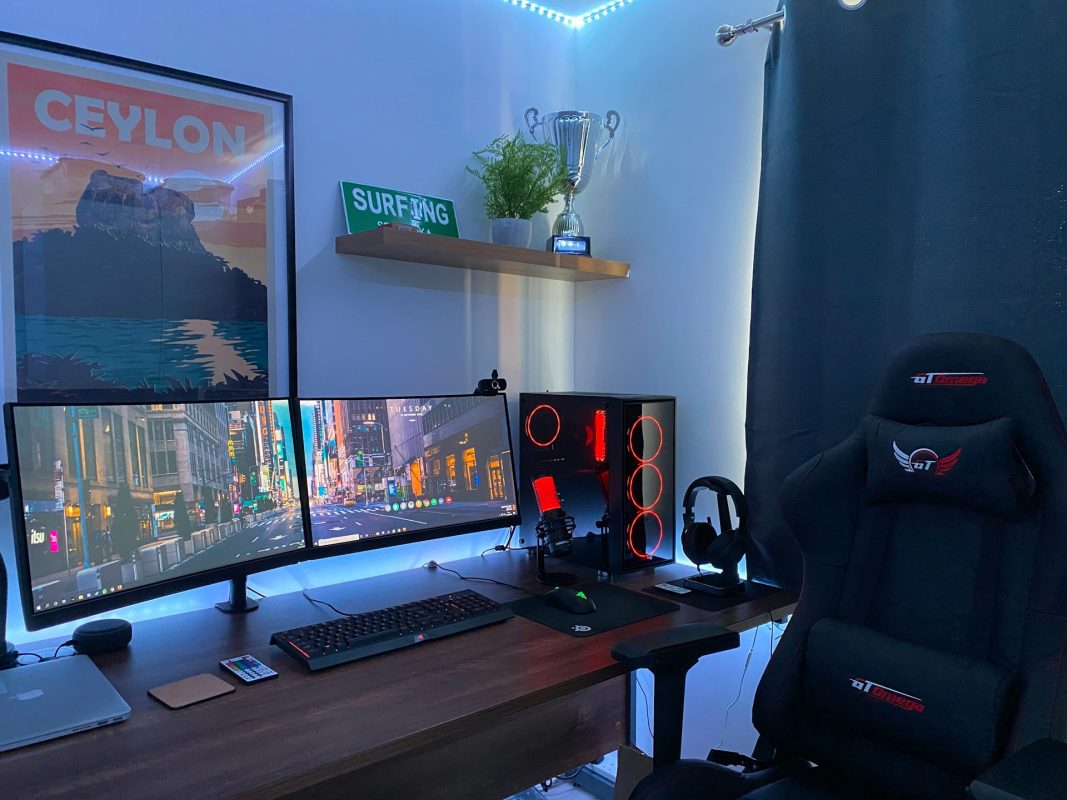
Let’s say you use your workstation for both work and gaming. A dual-arm monitor setup lets you position one screen for productivity and another for entertainment. You won’t have to switch inputs or manually move screens around every time you shift focus between work hours and game nights.
Get Your Setup Just the Way You Like It
Your monitor should support your productivity and comfort—not create tension or clutter. A thoughtfully chosen monitor arm helps eliminate neck pain, maximizes space, and gives you the freedom to adjust screens to fit any task.
Choosing the right monitor arm comes down to three things: understanding your workspace, knowing your equipment, and identifying what makes you more comfortable and efficient. With options for single or multi-monitor setups, desk-mounted or wall-mounted arms, and a variety of movement styles, there’s a solution that fits how you work or play.
Making the investment in a proper monitor arm can transform the way you interact with your technology every day. Whether it’s a simple single arm for better alignment or a dual setup for multitasking, the comfort and organization it provides is worth it. Take your time, evaluate your needs, and choose the arm that makes your everyday setup more functional, clean, and enjoyable.
If you’re ready to upgrade your setup and finally get the comfort and flexibility your space needs, explore which type of monitor arm works best for you. Games Gravity is here to help you find the right fit for better posture, more desk space, and a smoother workflow.