
Dec
When your PC starts acting up and nothing seems to fix it, it’s easy to feel stuck. Maybe it’s been crashing more than usual, or certain programs just won’t open the way they used to. This is where a lot of people wonder if PC repair is the only choice left.
We’ve all had moments where we try every trick we know, but the problem sticks around. That’s when it helps to slow down and really look at what’s going on. If your computer feels off and simple restarts are not doing the job, there may be more going on inside than you can see. Let’s look at what signs to watch for, why repeat problems matter, and how to figure out the next step without making the wrong call.
What Are the Big Warning Signs Something’s Really Wrong?
Some computer problems are just small bumps in the road. But when you keep seeing the same issues, it may mean a bigger problem is hiding somewhere inside. Here are a few signs that shouldn’t be ignored:
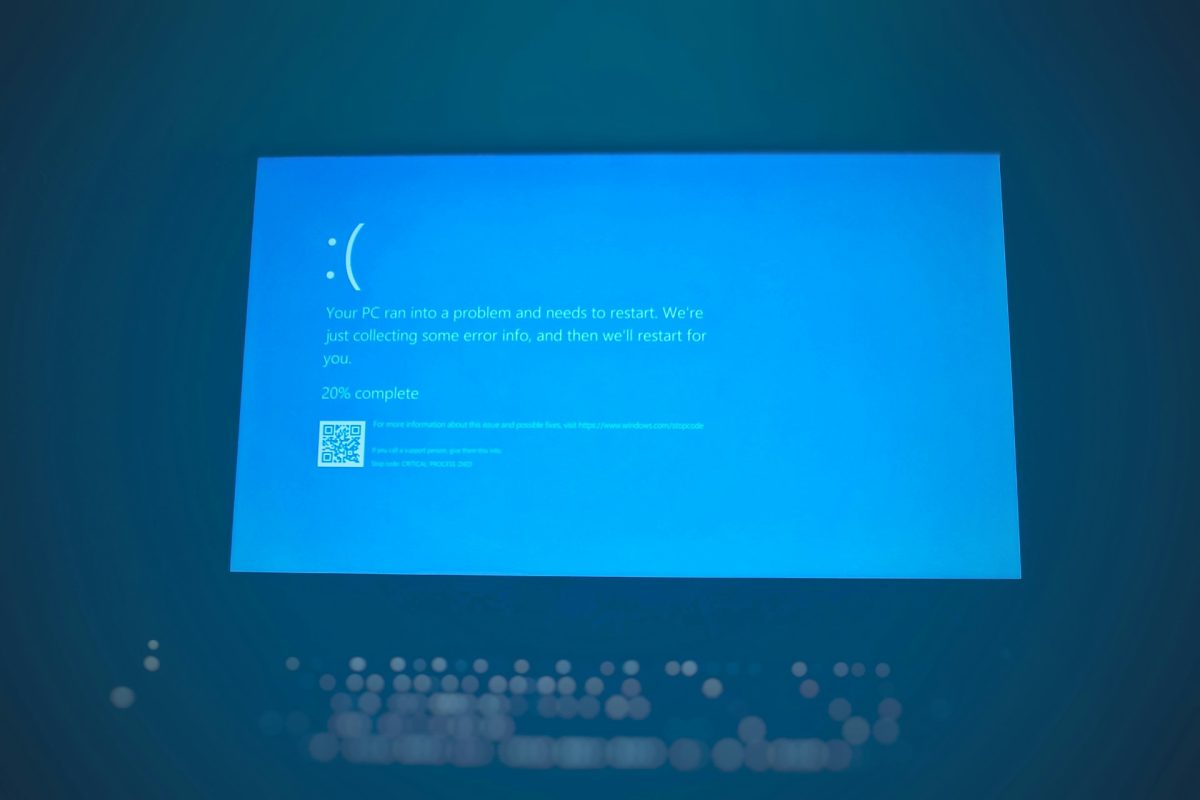
• Your computer crashes often, even right after a restart. It might freeze up or suddenly shut down when nothing strange is happening.
• Files may disappear or take forever to open. Sometimes, things won’t load the way they used to, or you’ll see errors that don’t make sense.
• You start hearing sounds like clicks, buzzing, or heavy fan use that wasn’t there before. Sometimes the screen flashes colors or things look off.
These signs usually show up before a system stops working completely. When they stack up, it’s time to look into what’s really going on.
Why Some Fixes Just Don’t Work Long-Term
When something breaks, the first thought is usually to fix it fast and move on. We get it. But not all quick fixes are true solutions.
• Restarting or reinstalling apps might make the issue disappear for a day or two, but it often comes back if the real cause isn’t handled.
• Trying to solve it on your own might give a sense of control, but without the right tools or knowledge, it’s easy to miss what’s actually wrong.
• If the problem is inside your hardware (like your hard drive or motherboard), updates or small adjustments won’t cut it.
Quick fixes are tempting, especially when things are busy or you’re in the middle of something. But doing the same thing over and over just adds more stress.
How PC Repair Professionals Help Get Things Right
When simple tricks stop working, getting help from someone who understands PC repair makes a real difference. It’s not just about fixing what’s broken, but finding out where the problem really starts.
• Experienced repair specialists can test hardware parts that the average person might never touch.
• They use special tools to look deeper into system problems and figure out where the issue begins, not just where it shows up.
• Most of the time, a proper repair fixes the issue for good, which means you’re not repeating the same routine over and over.
It’s the difference between guessing and understanding. Once the right problem is found, the right kind of fix becomes clear.
What to Think About Before You Make a Repair Decision
When something breaks, the solution isn’t always simple. Before jumping into any fix, it helps to ask a few questions:
• How much does the problem get in the way of your day? If you use your PC for school, work, or regular tasks, problems can cause extra stress.
• Is your PC still fairly new? If so, it makes more sense to keep it going strong instead of giving up on it too soon.
• Does your current computer still fit your needs, or is it dragging behind even when working fine?
Answering these will help you see if repairing your PC is the right move or just a short solution. Every setup is a little different, so it depends on what matters most to you.
When It’s Not the Right Time to Replace Your PC
A lot of people think replacing a problem computer is easier than going the repair route, but that’s not always true.
• Buying a new setup sounds nice, but if the issue in front of you is easy to fix, starting from scratch may be more effort than it’s worth.
• Repairs can help extend the life of a good computer that may just need a little work to get back in shape.
• Even if you plan to upgrade in the future, repairing now gives you space to choose the right time and not rush into a big change.
A repair can buy you time, keep your setup familiar, and let you plan your next steps on your own terms.
Don’t Rush Decisions When Your PC Starts Acting Up
It’s frustrating when your computer won’t work like it should. Especially when you count on it every day. But quick decisions don’t always mean better results.
The truth is, not every PC issue needs a major fix, and not every repair will cost you days of time and effort. What helps most is stepping back and really looking at your options. Repairs done right fix the root problem and give your system the boost it needs to stay steady. Whether it’s a small glitch or a sign of something bigger, it’s better to act with focus than guess with worry.
Next Steps for Getting Back on Track
At Games Gravity, our Samaheej location is stocked with a range of genuine parts for top brands like AMD, Intel, NVIDIA, and MSI, which helps make repairs reliable and fast. Our team specializes in handling both software and hardware issues across custom PC builds and ready-made systems, so you get the kind of fix that’s right for your setup.
When computer issues keep slowing you down, we can help you find the real solution. Many long-term problems are best fixed correctly instead of relying on temporary workarounds. If quick fixes haven’t helped, the right support could make all the difference. Discover our approach to computer repair and see what to expect. Contact Games Gravity anytime to discuss what your computer might need.