
PC Cleaning, Blogs
How PC Cleaning Helps Your Setup Run Smoother Over Time
Jan
When your computer starts slowing down, it can be tough to know what’s making it drag. One day, things seem fine, and the next, pages take forever to load, or fans are spinning louder than usual. What many people don’t realize is how much a clean machine matters. PC cleaning isn’t just something you do to make your setup look nice. It plays a major role in how smoothly, fast, and cool your system runs over time.
Regular cleaning helps prevent small issues from turning into big ones. It keeps parts working the way they should and adds more life to the computer you already have. Let’s look at why systems begin to slow down, what cleaning can do about it, and how maintenance helps in ways you might not expect.
Why Computers Slow Down Over Time
All machines wear down slowly, but that does not mean poor performance is something we just have to accept. A lot of slowdowns trace back to what’s happening inside the case.
• Heat builds up when airflow is blocked by dust stuck in fans, vents, or between parts.
• As these materials sit, they force your fans and other cooling components to work harder than normal.
• When your machine gets too hot too often, parts like the CPU and GPU start to slow down or wear out faster.
These changes happen gradually, so they are easy to miss. You might notice your games stutter more or your programs take longer to load. That heat is not just about comfort. It is one of the most common reasons hardware starts to fail before its time.
Clean Hardware Means Better Airflow and Cooling
Airflow might seem like a small detail, but inside a desktop or gaming PC, it matters much more than you would think. Clean components can breathe better, and that affects how your system performs day to day.
• A clear case allows cooling fans to pull in fresh air without restriction, keeping your internal parts at safer temperatures.
• Processors and graphics cards run more efficiently when they do not have to slow themselves down to stay cool.
• Fans cycle less when they do not have to overwork themselves, cutting down on noise and avoiding long-term strain.
Over time, any setup (whether it is for gaming, editing, or schoolwork) will run smoother when it stays cool. Small steps like PC cleaning give your machine the space to do its best work without extra stress on the mechanics.
Games Gravity provides cleaning and maintenance for all types of gaming PCs and custom builds, so your system stays in top shape with support from specialists who know the hardware inside and out.
Long-Term Benefits of Regular PC Cleaning
The better a system breathes, the longer it lasts. Staying ahead of the slowdown keeps your machine ready for all the demands you put on it. Whether you use it a lot or just during the evenings, regular care goes a long way.
• Smooth airflow and lower temperatures help avoid random crashes or freezing mid-task.
• Fans and chips that are not fighting heat can keep up with fast-paced games, multitasking, or big file loads better.
• When parts do not wear out as quickly, there is less need to replace key components too soon.
This kind of upkeep helps protect the money you have already invested in high-quality gear from trusted brands like AMD, Intel, and NVIDIA. It is about making what you have last longer and feel faster, even after years of use.
Signs It’s Time for a Cleaning
Sometimes your system tells you what it needs; you just have to pay attention. Here are some signs that it might be time to clean things out.
• Fans that used to run quietly now feel loud or stay on constantly, even when the computer is not doing much.
• The outside of your case feels warm to the touch while you are scrolling, watching videos, or typing up work.
• Apps start slow, and updates take forever, even though your internet speed has not changed.
These signals often show up before anything breaks, so they are worth watching. A good cleaning at this point can prevent parts from wearing out or cooling systems from falling behind.
The Right Way to Handle Cleaning: Don’t Go It Alone
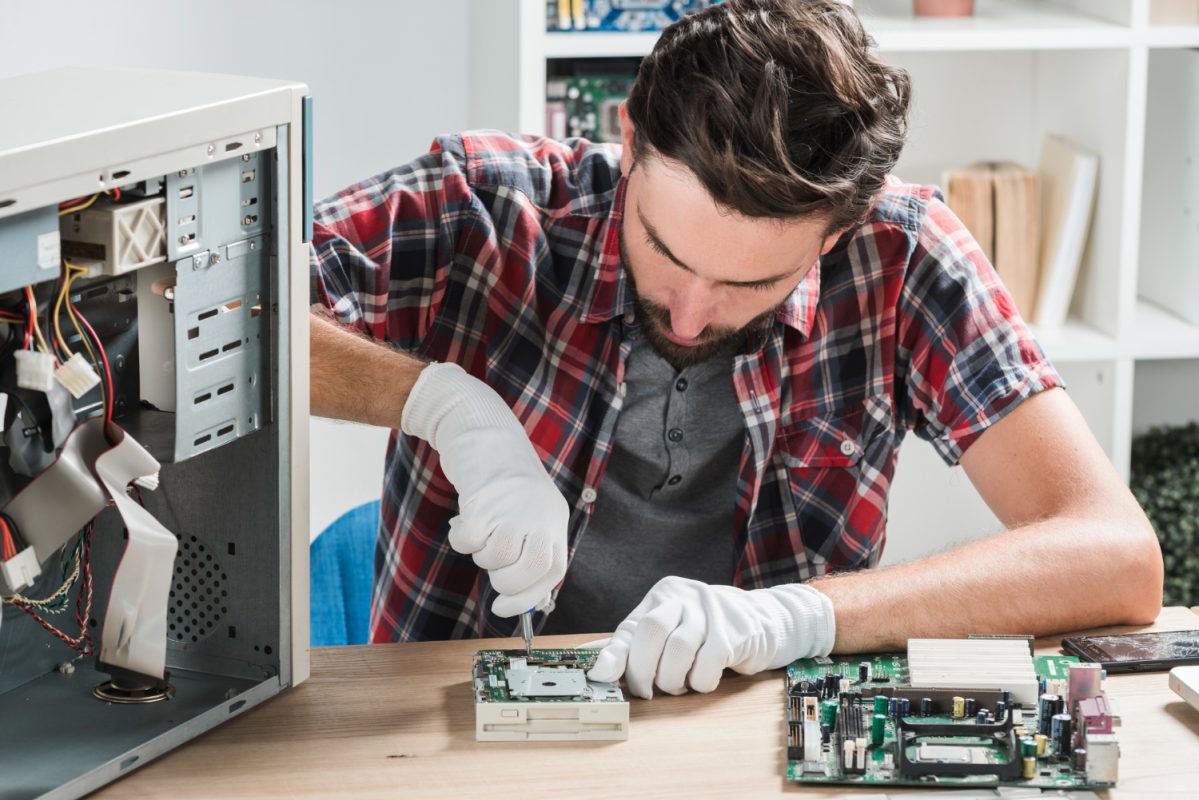
It might feel tempting to open up your case and try to take care of things yourself, especially if you have watched a few videos or read tips online. But computer hardware can be more delicate than it seems.
• Touching cables the wrong way or removing parts during cleaning can knock things loose or cause damage that is not obvious right away.
• Some buildup gets into tricky spaces, and reaching it without hurting a component takes steady hands and the right tools.
• A proper PC cleaning often reveals loose fans, brittle wires, or early signs of part failure that basic tidying would miss.
Getting help from someone who knows what to look for is the safer move. It means nothing gets skipped, and your setup stays protected before small issues get worse.
Keep Your PC Running at Its Best
Looking after your system means it will keep up with gaming, work, and everything else you use it for. Routine PC cleaning by experts can help prevent slowdowns, reduce loud fan noise, and prolong the smooth performance you expect from your build. With services available in-store for custom and prebuilt setups, you can always count on the right support whenever your machine needs it.
Regular maintenance is essential for keeping your computer running smoothly and preventing costly issues down the road. By addressing heat and dust buildup, you can extend your system’s lifespan and maintain optimal performance. At Games Gravity, we make taking care of your device easy and effective. Whether you need advice or a complete service, explore our PC repair services to ensure your machine gets the expert care it deserves.