

Blogs, PC Cleaning
How to Avoid Processor Bottlenecks in High-End Gaming PCs
Dec
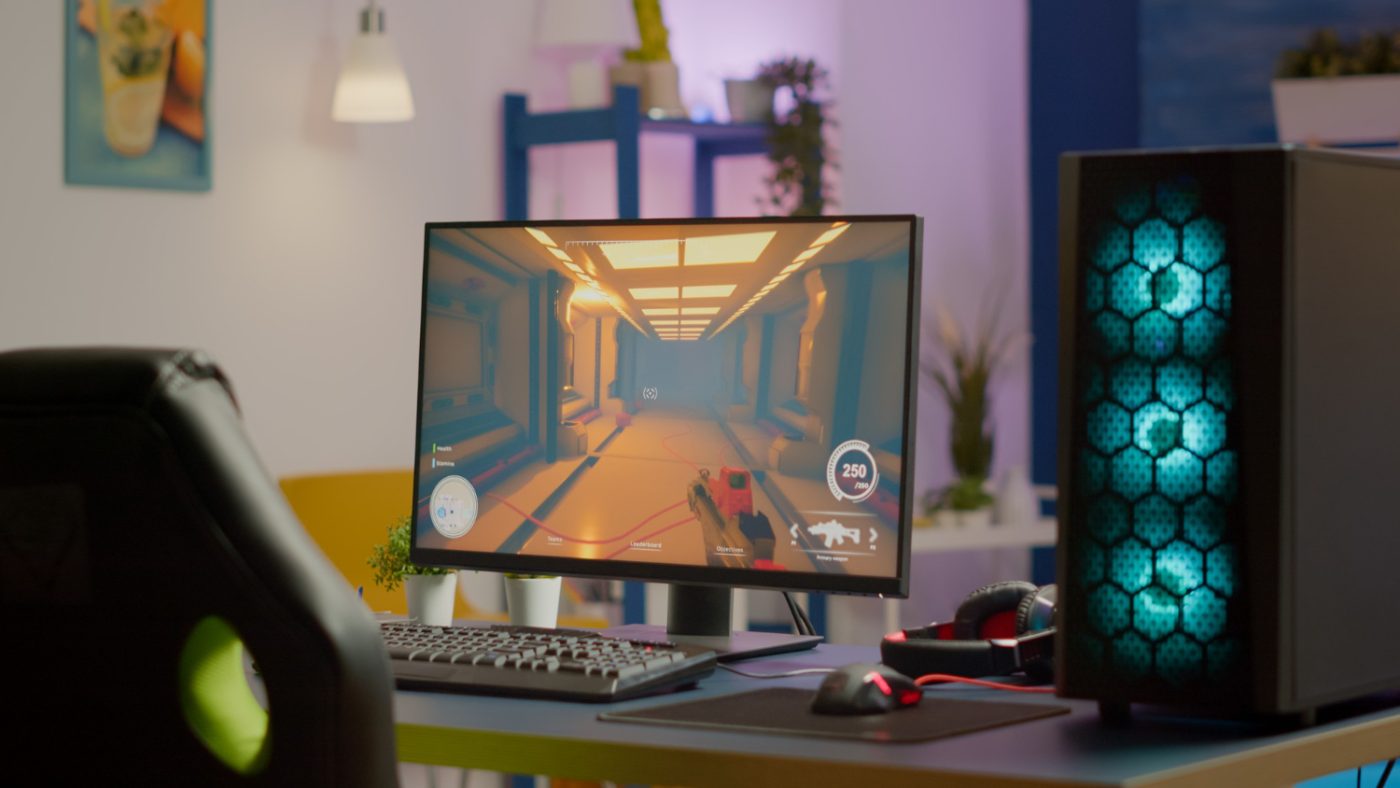
Understanding how processors work in high-end gaming PCs can be tricky, but it’s important to see how they impact your gaming experience. Imagine you’re running in a race and your legs are lightning fast, but your lungs can’t keep up. That’s what happens in a PC when the processor can’t match the speed of other components, leading to a bottleneck. In gaming terms, this means the processor becomes a limiting factor, slowing the entire system down. This can be frustrating for gamers expecting smooth performance but experiencing stutters or delays.
A balanced PC build is essential to avoid these issues. When your processor, graphics card, RAM, and storage all work together as a team, you can enjoy smoother, more responsive gameplay. Matching components properly ensures your processor doesn’t hold your system back, allowing you to get the most out of your hardware.
Understanding Processor Bottlenecks
A processor bottleneck happens when the CPU can’t keep up with the other components, especially the graphics card. This imbalance is like trying to funnel a gallon of water into a pint-sized bottle. When the CPU is maxed out and struggling to handle tasks quickly enough, it leads to slower system performance even if other components are capable of more.
In gaming, if you have a high-end GPU capable of delivering 144 frames per second but your processor can only manage 80, you won’t experience the full visual potential of your system. This results in lag, lower frame rates, or poor response during gameplay.
Understanding how each component communicates with the processor helps you make better upgrade decisions. Think of your PC like a pit crew in a race: every member has a role, and if one falls behind, the whole performance drops.
Recognizing Symptoms of Processor Bottlenecks
Identifying a processor bottleneck early can save you frustration and loss of performance. Here are some common signs to look out for:
– Low frame rates: Choppy or jittery visuals in high-performance games.
– Frame stuttering: Sudden freeze frames or interrupted game flow even when your GPU should handle it easily.
– Slow game load times: Levels or assets taking longer to load than expected.
– High CPU usage: Constant 90–100 percent CPU usage while GPU usage remains moderate.
Consider a fast-paced racing or shooter game. If your gameplay stutters or you see delayed input responses, the processor might be underperforming compared to the rest of your setup. Spotting these red flags early gives you a chance to readjust your components or settings before your experience gets worse.
Choosing the Right Processor for Your Gaming PC
To build or upgrade a high-end gaming PC without running into performance issues, make sure your processor matches the power and demands of your other components.
Here are key factors to consider when selecting a processor:
– Core count: For gaming today, a processor with at least 6 cores is standard, but 8 or more allows better future-proofing and multitasking performance.
– Clock speed: Higher base and boost clock speeds help with faster data processing, though overall game performance will depend heavily on how well the game uses multiple cores.
– Compatibility: Match your processor to the motherboard by checking socket type and chipset support. Not every board handles the newest CPUs out of the box.
– Thermal performance: Some processors run hotter than others. Make sure you have a cooling system that can maintain stable temperatures during resource-heavy gameplay.
Some games like open-world RPGs rely more on CPU performance due to complex world simulations, while fast shooters often lean more on the GPU. Matching your game genre with the right processor is key to getting the best performance per dollar spent.
Upgrading Other Components to Reduce Bottlenecks
A good processor on its own doesn’t prevent bottlenecks—your supporting components matter just as much. Other hardware also contributes to how your processor performs under load.
Here’s what you should evaluate or upgrade:
– RAM: Ensure you have enough memory. 16GB is a common standard for gaming now, and faster RAM can also decrease the CPU’s workload in many games.
– Storage: Upgrading from a hard drive to an SSD drastically cuts game and system load times, allowing your CPU quicker access to data.
– Cooling systems: Poor cooling can cause CPUs to throttle down performance to avoid overheating. High-efficiency air coolers or liquid cooling setups keep things stable during heavy gameplay.
– BIOS and drivers: Update your motherboard BIOS and install the latest graphics and CPU drivers. This helps your components work better together and resolve compatibility bugs that could cause bottleneck-like behavior.
Think of your gaming PC as a relay team. If just one runner is off pace, it slows the entire team. Keeping every part of your system current and balanced ensures high performance across the board.
Final Tips For Optimizing Your Gaming PC
Once your system has well-matched components, keeping it running in peak condition is the next step. Optimization and regular maintenance help you get consistent performance over time.
Here are helpful tips for keeping your PC in top shape:
– Shut down unnecessary apps while gaming to allow the processor to focus on gameplay.
– Adjust in-game settings based on what’s more CPU or GPU intensive.
– Limit background tasks that compete for processor resources.
– Monitor your temperatures regularly to make sure cooling systems are working.
Even high-end builds lose efficiency if they aren’t fine-tuned. Small changes, like updating drivers or reapplying thermal paste, can restore lost performance and help your PC run like new.
Keep Your Gaming Rig Running Smoothly
The most powerful gaming PCs rely on more than just high specs—they need smart pairing and consistent tuning. Your processor shouldn’t be the reason your system slows down, especially when you’ve invested in other high-end parts.
If you’re still not getting the results you’re expecting, it may be time to get help from professionals who know PC builds inside and out. Whether you’re upgrading an existing rig or starting from scratch, expert advice can make all the difference. Balanced hardware, regular upkeep, and strategic upgrades are the keys to a smooth gaming experience.
If you’re noticing slow performance or lag even on powerful setups, it could mean your system needs expert attention. Whether you’re troubleshooting issues or planning a full upgrade, we’re here to help you get the most out of your build. Learn how to get support for your gaming rig by browsing our services related to your PC’s processor, and let Games Gravity make sure every component is doing its job right.