
Gaming RAM
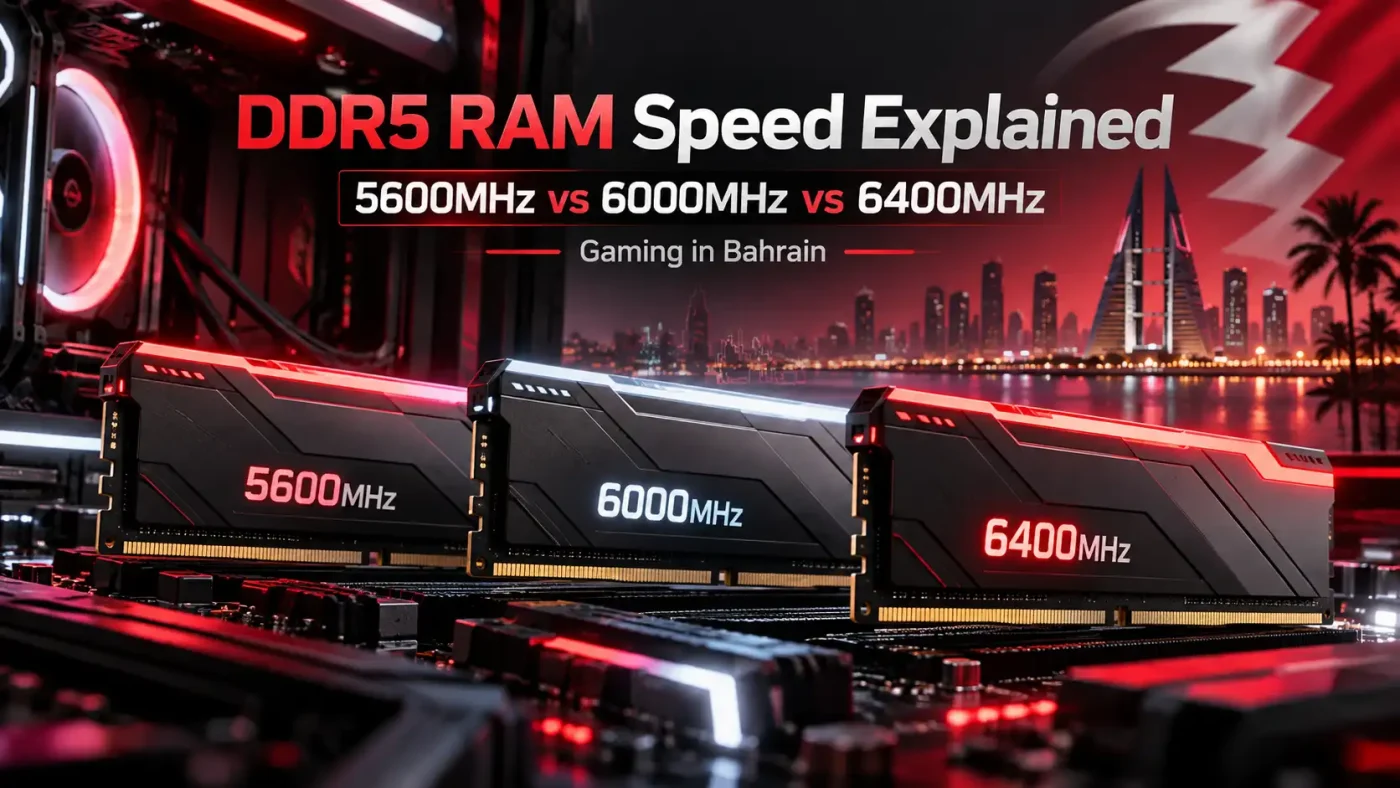
DDR5 RAM Speed Explained: 5600MHz vs 6000MHz vs 6400MHz for Gaming in Bahrain
Sep
Building or upgrading a gaming PC in Bahrain and trying to choose between DDR5 5600MHz, 6000MHz and 6400MHz RAM?
It is easy to assume that the highest number is automatically the best choice. DDR5-6400 is faster than DDR5-6000 on paper, and DDR5-6000 offers more memory bandwidth than DDR5-5600.
But gaming performance is not determined by RAM speed alone.
Your processor, motherboard, graphics card, memory timings, RAM capacity, gaming resolution and the games you play all affect whether faster DDR5 actually delivers a noticeable improvement.
That matters when building a gaming PC in Bahrain because every component needs to justify its place in the overall budget. Spending more on 6400MHz RAM does not make sense if that extra money would be better used on a stronger graphics card, processor or SSD.
In this guide, we compare DDR5 5600MHz vs 6000MHz vs 6400MHz for gaming, explain where each speed makes sense and help Bahrain gamers choose the right memory for their next PC build.
If you are currently upgrading your system, browse the PC RAM collection at Games Gravity to compare available gaming memory in Bahrain by capacity, speed and specification.
What Does DDR5 RAM Speed Actually Mean?
DDR5 memory is commonly sold using numbers such as:
DDR5-5600
DDR5-6000
DDR5-6400
These numbers describe the effective data transfer rate of the memory.
Technically, DDR5 speed is more accurately expressed in MT/s, or megatransfers per second.
So:
DDR5-5600 transfers up to 5600MT/s
DDR5-6000 transfers up to 6000MT/s
DDR5-6400 transfers up to 6400MT/s
You will still commonly see retailers and buyers refer to these speeds as MHz, which is why searches such as “6000MHz RAM” remain popular.
The important point for a gaming PC buyer is simple:
Higher DDR5 speeds provide greater theoretical memory bandwidth.
However, the percentage increase in memory bandwidth does not translate directly into the same percentage increase in FPS.
Moving from 5600 to 6000 represents roughly a 7% increase in transfer rate.
Moving from 6000 to 6400 provides roughly another 7%.
That does not mean your games will suddenly run 7% faster.
Whether the extra speed matters depends on the rest of your gaming system.
DDR5 5600MHz vs 6000MHz vs 6400MHz at a Glance
Here is the simplest way to compare the three options when shopping for gaming RAM in Bahrain.
DDR5 5600MHz
DDR5-5600 is a strong starting point for mainstream gaming PCs.
It gives you modern DDR5 bandwidth without requiring you to spend extra simply to achieve a larger frequency number.
5600MHz makes sense for:
Budget gaming PCs
Mainstream gaming builds
1440p gaming
4K gaming where the GPU is the main bottleneck
Users prioritizing compatibility
Builds where more budget should go toward the GPU or CPU
For many Bahrain gamers building a balanced PC rather than an extreme enthusiast system, DDR5-5600 can already be more than sufficient.
DDR5 6000MHz
DDR5-6000 moves into a more performance-focused position.
It offers higher memory bandwidth than 5600MHz while remaining practical for many modern gaming platforms.
It is especially attractive for:
Mid-range gaming PCs
High-end gaming systems
Competitive gaming
High-refresh-rate monitors
CPU-heavy games
32GB gaming configurations
Users seeking a balance between performance and price
For many modern DDR5 builds, 6000MHz is a very sensible speed to consider.
DDR5 6400MHz
DDR5-6400 gives you even more memory bandwidth.
It is better suited to performance-focused systems where the CPU, motherboard and BIOS configuration can properly support higher-speed memory.
6400MHz is worth considering for:
High-end gaming PCs
Powerful gaming processors
Performance motherboards
Competitive gaming
Very high FPS targets
CPU-sensitive titles
PC enthusiasts comfortable working with BIOS memory settings
The important word here is compatibility.
Buying a DDR5-6400 kit does not guarantee every DDR5 gaming PC will run it at 6400MHz.
Is DDR5-5600 Good Enough for Gaming in Bahrain?
Yes.
DDR5-5600 can comfortably support many modern gaming PCs.
One of the biggest mistakes when buying gaming hardware is judging a component only by its headline specification.
A 5600MHz memory kit does not automatically make a gaming PC slow.
Your GPU and CPU normally have a much greater influence on gaming performance.
Imagine you are building a gaming PC in Bahrain with a fixed budget.
You could choose:
DDR5-6400 with a weaker graphics card
or
DDR5-5600 with a stronger graphics card
For most gaming workloads, especially at 1440p or 4K, putting that money toward the stronger GPU can deliver a much more noticeable improvement.
At higher resolutions, games typically become more GPU dependent.
That reduces the importance of small differences between DDR5 memory speeds.
So if your goal is a balanced gaming system rather than maximum benchmark numbers, 5600MHz remains a perfectly valid option.
Is 6000MHz RAM Better Than 5600MHz for Gaming?
DDR5-6000 provides more bandwidth than DDR5-5600.
Whether that additional speed produces a meaningful gaming improvement depends largely on the type of game and the rest of your hardware.
Faster memory becomes more useful when a game is CPU limited.
This may happen in:
Competitive shooters
Simulation games
Strategy games
High-refresh-rate gaming
1080p gaming with a powerful GPU
CPU-intensive multiplayer games
Games running at extremely high frame rates
When the CPU is generating large numbers of frames every second, memory performance can become more relevant.
In a graphically demanding 4K title, however, the GPU is more likely to be the limiting factor.
In that situation, the difference between DDR5-5600 and DDR5-6000 may be much less noticeable.
For Bahrain gamers looking for a 32GB performance-oriented setup, the Corsair Vengeance DDR5 32GB 6000MHz CL36 is an example of a 2x16GB configuration designed for modern DDR5 systems.
Why RAM Latency Matters Too
Frequency is not the only specification that affects RAM performance.
Latency matters as well.
You might see DDR5 kits listed as:
DDR5-6000 CL30
DDR5-6000 CL36
DDR5-6000 CL40
DDR5-6400 CL32
The CL figure represents CAS latency.
A lower CL number means fewer clock cycles are required for a particular memory operation, but you should not compare CL figures without also considering frequency.
For example:
DDR5-6000 CL30
and
DDR5-6400 CL40
operate at different frequencies, so looking only at the CL number does not tell you the full story.
When comparing DDR5 RAM for a gaming PC, look at:
Frequency
CAS latency
Primary timings
Capacity
Number of modules
XMP or EXPO compatibility
CPU compatibility
Motherboard compatibility
Price
This is particularly useful when comparing several RAM kits in the same Bahrain gaming-PC budget.
The fastest-looking number on the product name is not always the best overall option.
Does 6400MHz RAM Give More FPS Than 6000MHz?
It can, but the difference depends heavily on the game.
Let’s compare two scenarios.
4K AAA Gaming
Suppose you are playing a demanding single-player title at 4K with high graphics settings.
Your graphics card is likely working close to maximum capacity.
That means the GPU is the main bottleneck.
Switching from 6000MHz to 6400MHz RAM may produce only a relatively small difference because memory bandwidth was not holding the system back.
Competitive 1080p Gaming
Now imagine playing a competitive shooter at 1080p with reduced graphics settings.
You are using a powerful GPU and trying to reach 200, 300 or even more FPS.
The workload can become much more CPU dependent.
In this environment, memory speed and latency have a greater opportunity to affect performance.
That makes DDR5-6400 more interesting for competitive players using a suitably powerful platform.
Bahrain gamers building this type of performance-focused system can compare higher-frequency options such as the RANSOR 32GB DDR5 6400MHz CL32.
5600MHz vs 6000MHz: Which Should You Buy?
For most gamers, this is one of the most practical comparisons.
Choose DDR5-5600 if:
You are building a budget-conscious gaming PC.
You want reliable DDR5 performance.
You mainly game at 1440p or 4K.
Your graphics card is the bigger priority.
Your motherboard or CPU is better suited to more conservative memory speeds.
The money saved can improve another important component.
Choose DDR5-6000 if:
You want a more performance-focused gaming PC.
Your motherboard and processor support the intended memory configuration.
You play high-FPS games.
You use a high-refresh-rate gaming monitor.
You play CPU-intensive titles.
The additional cost over 5600MHz is reasonable.
For a lot of Bahrain gaming builds, DDR5-6000 offers an attractive balance between higher performance and practical everyday use.
6000MHz vs 6400MHz: Is 6400MHz Worth It?
This decision depends much more heavily on your platform.
DDR5-6400 provides additional bandwidth, but that does not mean it is automatically worth paying more for.
Before buying 6400MHz RAM, check:
Your CPU specifications
Your motherboard specifications
Supported memory speeds
Your motherboard BIOS
XMP or EXPO compatibility
Memory timings
Number of RAM modules
Total capacity
Price difference
A DDR5-6400 kit is most attractive when the rest of the gaming PC is already strong enough to take advantage of it.
If you are still choosing between a better GPU and faster RAM, the graphics card should usually receive more of your attention.
If you already have a powerful GPU and CPU, then moving toward faster memory becomes more reasonable.
Your CPU Matters More Than Many Buyers Realize
DDR5 memory communicates with the memory controller built into your processor.
That means your CPU directly affects memory compatibility and achievable frequency.
Different CPU generations support different memory specifications.
Even within the same CPU family, extremely high memory frequencies may depend on:
Memory-controller quality
Motherboard design
BIOS version
Memory timings
Voltage
Number of RAM sticks
Memory capacity
This is why a memory kit running perfectly at 6400MHz in one PC does not guarantee exactly the same result in another system.
Bahrain gamers buying parts individually should always confirm CPU and motherboard compatibility before choosing high-speed DDR5.
Your Motherboard Matters Too
Motherboards are not identical when it comes to memory support.
Different models can vary in:
PCB design
Memory traces
BIOS features
Memory overclocking support
Maximum supported capacity
Validated memory frequencies
XMP and EXPO support
A high-end performance motherboard may handle aggressive DDR5 configurations more comfortably than a basic entry-level model.
Before ordering RAM, check the specifications for your exact motherboard.
If you are building a new gaming PC rather than upgrading only the RAM, browsing the broader PC components range at Games Gravity can help you compare memory alongside processors, motherboards, graphics cards and other compatible hardware.
XMP and EXPO Explained
You install a 6000MHz DDR5 kit.
Your PC boots.
Everything works.
But when you check the memory speed, it is running below 6000MHz.
That does not necessarily mean your RAM is faulty.
Performance DDR5 kits often include predefined memory profiles.
Intel XMP
XMP stands for Extreme Memory Profile.
It stores predefined settings such as:
Memory frequency
Timings
Voltage
You can generally enable the appropriate XMP profile through the motherboard BIOS on a compatible system.
AMD EXPO
EXPO stands for Extended Profiles for Overclocking.
It performs a similar role for compatible AMD platforms.
The exact support still depends on your processor, motherboard and RAM kit.
This is important for buyers purchasing high-performance gaming memory.
If you spend more on 6000MHz or 6400MHz DDR5 but never configure the memory correctly, you may not actually receive the performance specification you paid for.
Is 32GB More Important Than Going From 6000MHz to 6400MHz?
Sometimes, yes.
Capacity and frequency solve different problems.
Imagine choosing between:
16GB DDR5-6400
and
32GB DDR5-6000
The first kit is faster on paper.
The second gives you twice as much memory capacity.
Modern gaming PCs often run several applications alongside the game itself.
For example:
Discord
Web browsers
Steam
Epic Games Launcher
RGB software
Hardware-monitoring software
Recording software
Streaming software
Windows background processes
If your total memory usage exceeds the available capacity, having more RAM can be more useful than a modest increase in memory frequency.
This is why many performance-focused gaming PCs now use 32GB configurations.
You should first decide how much RAM your workload needs and then compare speeds within that capacity.
Is 16GB Still Enough for Gaming?
16GB can still work for many games, especially when the PC is mainly used for gaming without heavy multitasking.
However, 32GB gives you more headroom.
This can be useful if you regularly keep multiple programs running while gaming or play demanding newer titles.
For a new mid-range or high-end gaming PC in Bahrain, 32GB is worth considering if the overall budget allows it.
For a budget build, 16GB can still be a reasonable starting point if it allows you to invest more in performance-critical hardware such as the graphics card.
Again, balance matters.
One RAM Stick vs Two RAM Sticks
You may also have to choose between configurations such as:
1x32GB
or
2x16GB
Both provide 32GB of total RAM, but they are not the same configuration.
For many gaming systems, a matched two-module kit is an attractive option.
A 2x16GB kit gives you two modules designed and tested to operate as a pair.
However, filling every memory slot is not always better.
Running four high-speed DDR5 modules can place more stress on the CPU memory controller than using two modules.
This can make achieving very high memory frequencies more difficult.
If you want 32GB, a matched 2x16GB kit is therefore a practical configuration for many gaming PCs.
What DDR5 Speed Is Best for 1080p Gaming?
At 1080p, particularly with a powerful graphics card, games have a greater chance of becoming CPU limited.
This is especially true when targeting high frame rates.
Competitive gamers using 144Hz, 240Hz or faster monitors may therefore benefit more from optimized RAM than gamers playing demanding titles at 4K.
For 1080p:
DDR5-5600 is still capable.
DDR5-6000 is attractive for high-performance gaming.
DDR5-6400 becomes more interesting for enthusiast and competitive systems.
However, the processor remains extremely important.
Do not choose a weaker CPU just to afford faster memory.
What DDR5 Speed Is Best for 1440p Gaming?
1440p gaming places more load on the GPU than 1080p.
That means memory-speed differences can become less noticeable in graphically demanding games.
DDR5-5600 can provide plenty of performance for a balanced 1440p build.
DDR5-6000 is attractive for users who also want stronger CPU-side performance or high-refresh-rate gaming.
DDR5-6400 may make sense when the rest of the system is already high end.
For most 1440p buyers, GPU performance should remain one of the highest priorities.
What DDR5 Speed Is Best for 4K Gaming?
At 4K, demanding games are usually heavily dependent on the graphics card.
The GPU must render far more pixels than it does at 1080p.
As a result, the difference between 5600MHz, 6000MHz and 6400MHz system memory often becomes less significant than the difference between two graphics cards.
A balanced 4K gaming PC should prioritize:
A powerful GPU
A capable CPU
Enough system RAM
Fast storage
Reliable cooling
A suitable PSU
Stable DDR5 memory
For Bahrain gamers planning a 4K PC, avoid overspending on RAM frequency if doing so means compromising the graphics card.
What DDR5 Speed Is Best for Competitive Gaming?
Competitive gaming is where faster memory becomes more interesting.
Esports and competitive games are often played at:
1080p
Lower graphical settings
Very high FPS
High monitor refresh rates
These settings reduce the load on the graphics card and increase the importance of CPU-side performance.
Memory speed and latency can therefore contribute more than they would in a GPU-limited 4K game.
For competitive systems:
DDR5-5600 remains usable.
DDR5-6000 offers a strong middle ground.
DDR5-6400 becomes attractive for high-performance builds with compatible hardware.
Still, memory speed is only one part of the system.
A fast gaming CPU paired with well-configured DDR5-6000 can make much more sense than a weaker processor paired with 6400MHz RAM.
Does Faster DDR5 Reduce Gaming Stutter?
Sometimes, but faster RAM is not a universal solution for stuttering.
Game stutter can come from many sources, including:
Insufficient RAM capacity
CPU bottlenecks
GPU limitations
VRAM shortages
Slow storage
Shader compilation
Background processes
Drivers
Thermal throttling
Game optimization
Network issues
If your gaming PC stutters, do not immediately assume you need faster RAM.
Identify the actual bottleneck first.
Moving from 5600MHz to 6400MHz will not fix a game that is stuttering because the GPU has run out of VRAM or the CPU is overheating.
Is DDR5-6400 Overkill for Gaming?
Not necessarily.
For a high-end gaming PC, DDR5-6400 can be completely reasonable.
It becomes unnecessary when you are buying it only because 6400 is a larger number than 6000.
Consider the complete system.
If you already have:
A powerful GPU
A strong gaming CPU
Enough memory capacity
A compatible motherboard
Good cooling
Fast storage
Then higher-performance RAM can be a logical final optimization.
But if buying DDR5-6400 requires you to compromise on your GPU or CPU, reconsider where the money is being spent.
How to Choose Gaming RAM in Bahrain
Use this process when comparing DDR5 RAM for your next gaming build.
Step 1: Choose the Capacity
Start with how much memory you actually need.
16GB can work for budget and lighter gaming setups.
32GB offers more headroom for modern gaming and multitasking.
64GB and higher is mainly useful when gaming is combined with heavier professional workloads.
Step 2: Check Your CPU
Make sure your processor supports the memory type and understand the officially supported memory specifications.
Step 3: Check Your Motherboard
Confirm:
DDR5 support
Memory speed support
Maximum capacity
XMP or EXPO support
BIOS compatibility
Available DIMM slots
Step 4: Compare Speed
Now decide whether 5600MHz, 6000MHz or 6400MHz fits the system.
Step 5: Compare Latency
Check CAS latency and timings rather than comparing frequency alone.
Step 6: Compare Price
Look at the price difference between the kits available in Bahrain.
If moving from 6000MHz to 6400MHz costs significantly more, ask whether that difference would provide more value if invested elsewhere in the PC.
Step 7: Prioritize the Complete Gaming Experience
Your PC does not perform based on one component.
CPU, GPU, memory, storage, cooling and display all work together.
The best build is usually the one that balances them properly.
5600MHz vs 6000MHz vs 6400MHz: Which Is Best for Bahrain Gamers?
There is no single answer for every gaming PC.
Choose DDR5-5600 if:
You are building a value-focused DDR5 gaming PC.
You want to prioritize your GPU.
You mainly game at 1440p or 4K.
You want straightforward compatibility.
You do not need extreme memory performance.
Choose DDR5-6000 if:
You want a strong balance of speed and practicality.
You are building a modern mid-range or high-end gaming PC.
You play CPU-heavy games.
You want high FPS.
Your motherboard and CPU comfortably support it.
Choose DDR5-6400 if:
You are building a high-performance gaming system.
You have a compatible processor and motherboard.
You play competitive games at very high frame rates.
You understand XMP, EXPO and BIOS memory configuration.
You are comfortable checking system stability.
Your GPU and CPU requirements are already covered.
For most buyers, the goal should not simply be to purchase the fastest DDR5 available.
The goal should be to choose memory that makes sense for the rest of your gaming PC.
Buy Gaming RAM in Bahrain Based on Your Complete Build
DDR5-5600, DDR5-6000 and DDR5-6400 are all capable of delivering a good gaming experience.
The right choice depends on what you are building.
A budget-conscious PC may benefit more from 5600MHz memory and a stronger graphics card.
A performance-focused gaming system can make excellent use of 6000MHz.
A high-end enthusiast PC may justify moving to 6400MHz.
Before buying, compare:
Capacity
Frequency
Latency
CPU support
Motherboard support
XMP or EXPO compatibility
Overall PC budget
That approach will give you a much better gaming PC than simply buying the RAM kit with the biggest number on the box.
For gamers shopping locally, Games Gravity offers gaming hardware and PC components in Bahrain, making it easier to compare RAM alongside the rest of the parts required for a balanced gaming build.
Frequently Asked Questions
1. Is DDR5-5600 good for gaming in Bahrain?
Yes. DDR5-5600 is suitable for many modern gaming PCs and can be particularly useful when you want to keep more of your budget available for a stronger graphics card or processor.
2. Is DDR5-6000 good for gaming?
Yes. DDR5-6000 provides a strong balance between memory bandwidth and practicality for many modern gaming systems. It can be especially useful for high-FPS and CPU-sensitive gaming.
3. Is DDR5-6400 better than 6000MHz?
DDR5-6400 provides more theoretical bandwidth, but that does not guarantee a large gaming-performance improvement. Your CPU, motherboard, latency and gaming workload all affect the result.
4. Does 6400MHz RAM increase FPS?
It can increase performance in some CPU-limited games, particularly at high frame rates. The difference can be much smaller when gaming at higher resolutions where the GPU is the main bottleneck.
5. Which RAM speed is best for a gaming PC in Bahrain?
There is no single best speed for every build. DDR5-5600 suits value-oriented systems, DDR5-6000 is a strong middle ground, and DDR5-6400 is better suited to compatible high-performance gaming PCs.
6. Is 6000MHz RAM enough for 4K gaming?
Yes. DDR5-6000 is more than capable of supporting a 4K gaming PC. At 4K, graphics-card performance usually has a much larger impact than a small difference in system-memory frequency.
7. Should I choose 16GB 6400MHz or 32GB 6000MHz RAM?
If your games and background applications benefit from more than 16GB of memory, the 32GB configuration may provide a better experience despite the slightly lower memory speed.
8. Does DDR5 automatically run at its advertised speed?
Not necessarily. High-performance memory may need an XMP or EXPO profile enabled through your motherboard BIOS to reach its advertised settings.
9. Can every DDR5 motherboard run 6400MHz RAM?
No. The achievable memory speed depends on your exact motherboard, CPU, BIOS, memory kit and configuration. Always check compatibility before buying high-speed DDR5.
10. Where can I buy DDR5 gaming RAM in Bahrain?
You can compare DDR5 gaming memory and other PC components through Games Gravity in Bahrain. Before ordering, match the RAM capacity, speed and timings to your CPU and motherboard rather than selecting a kit based only on frequency.