
Blogs
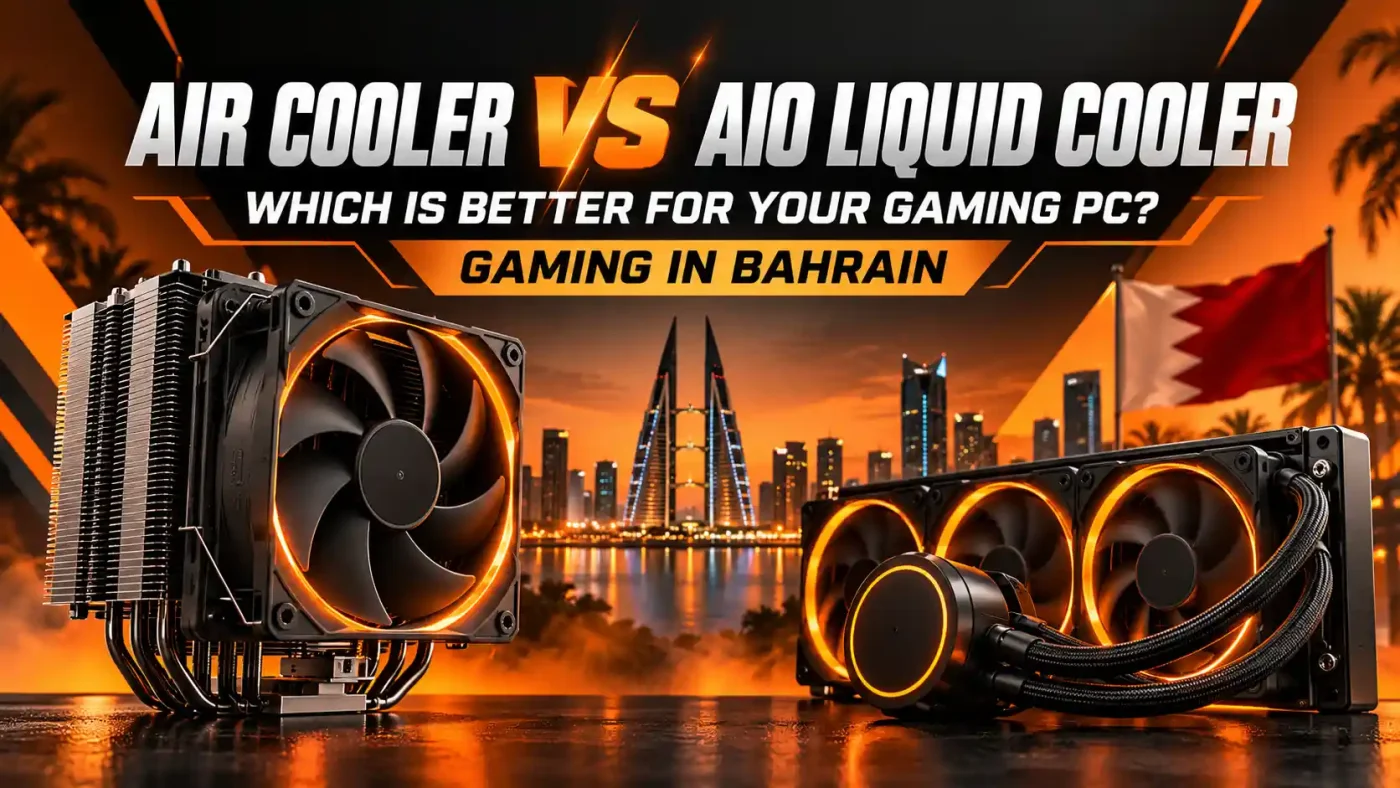
Air Cooler vs AIO Liquid Cooler: Which Is Better for Your Gaming PC?
Sep
Choosing between an air cooler and an AIO liquid cooler can be confusing when building a gaming PC in Bahrain. Both can keep modern CPUs cool, but the better choice depends on your processor, case, gaming workload, budget, noise preference, and how much thermal headroom you actually need.
AIO liquid coolers often look more premium and can handle heavier sustained CPU loads, while air coolers are simpler, reliable, and usually more affordable. This guide compares both options so you can choose the right CPU cooler for your gaming setup without overspending.
If you are currently planning a build, browse the CPU cooler collection at Games Gravity to compare different cooling options available in Bahrain.
What Is an Air Cooler?
An air cooler uses a metal heatsink, heat pipes, and one or more fans to move heat away from the CPU. Heat travels from the processor into the cooler base, through the heat pipes and into the fin stack, where the fans push it into the case airflow.
Air coolers range from compact single-tower models to large dual-tower designs. Their biggest advantage is simplicity. There is no pump, tubing, or liquid loop involved.
A typical air cooler includes:
- CPU contact plate
- Heat pipes
- Aluminum fin stack
- One or two cooling fans
- Mounting hardware
For many gaming PCs, especially mid-range systems, a quality air cooler provides more than enough cooling performance.
What Is an AIO Liquid Cooler?
AIO stands for All-in-One liquid cooler. It is a sealed cooling system that uses liquid to transfer heat from the CPU to a radiator mounted elsewhere in the case.
A typical AIO includes:
- CPU water block
- Pump
- Coolant
- Tubing
- Radiator
- Radiator fans
The pump moves heated liquid from the CPU block to the radiator. The radiator fans then release that heat into the surrounding air before the cooled liquid returns to the processor.
Common AIO radiator sizes include:
- 120mm
- 240mm
- 280mm
- 360mm
Larger radiators usually provide more cooling surface area, but radiator size alone does not determine performance.
Air Cooler vs AIO: Quick Comparison
Here is the simplest way to compare both cooling types.
Air Cooler
Best for:
- Budget gaming PCs
- Mid-range CPUs
- Users who want simple installation
- Long-term reliability
- Low-maintenance systems
- Buyers who prefer value over appearance
AIO Liquid Cooler
Best for:
- High-performance CPUs
- High-end gaming PCs
- Heavy multitasking
- Streaming and gaming
- Showcase builds
- Users who want cleaner motherboard aesthetics
- Systems that need more thermal headroom
Neither option is automatically better. The right choice depends on the complete build.
Which Cools Better: Air Cooler or AIO?
AIO liquid coolers often have more cooling potential, especially larger 280mm and 360mm models, but that does not mean every AIO is better than every air cooler.
A high-quality dual-tower air cooler can outperform a small or low-quality liquid cooler.
Cooling performance depends on:
- Cooler design
- Radiator or heatsink size
- Fan quality
- CPU power consumption
- Case airflow
- Room temperature
- Thermal paste application
- Fan curves
- Installation quality
For a mainstream gaming processor, a good air cooler may already provide excellent temperatures. For a high-power CPU under sustained loads, a larger AIO may provide more thermal headroom.
Does a Better CPU Cooler Increase FPS?
A better CPU cooler does not automatically increase FPS.
The cooler’s main job is to keep the CPU within safe operating temperatures. However, cooling can indirectly affect performance if the processor becomes hot enough to reduce clock speeds.
A better cooler may provide:
- Lower CPU temperatures
- Better sustained boost clocks
- Less thermal throttling
- Lower fan noise
- More headroom for demanding workloads
- More stable long gaming sessions
If your processor already stays cool with an air cooler, switching to a large AIO may not noticeably increase gaming FPS.
Advantages of Air Cooling
Air cooling remains one of the best choices for many gaming PCs because it offers strong performance without unnecessary complexity.
Lower Cost
Air coolers are generally more affordable than AIO liquid coolers.
This matters when building a gaming PC with a fixed budget. Saving money on the cooler may allow you to invest more in:
- Graphics card
- Processor
- RAM
- SSD
- Better power supply
For gaming, those upgrades can often have a greater effect than moving from an already adequate air cooler to an expensive AIO.
Simple and Reliable
Air coolers have fewer components that can fail.
The heatsink itself has no moving parts. In most cases, the only component likely to wear out over time is the fan, which can often be replaced easily.
That makes air cooling attractive for gamers who want a straightforward system that can run for years.
Easy Maintenance
Maintenance is usually limited to:
- Cleaning dust
- Checking fan operation
- Replacing thermal paste when necessary
- Keeping airflow unobstructed
There is no pump or liquid loop to think about.
Strong Cooling for Most Gaming CPUs
Modern air coolers can handle surprisingly powerful processors.
A good single-tower or dual-tower model combined with proper case airflow is often more than enough for gaming.
If you prefer this type of setup, you can compare CPU air coolers in Bahrain by size, socket support and cooler design.
Disadvantages of Air Coolers
Air cooling is simple, but there are still trade-offs.
Large Size
High-performance air coolers can be bulky.
Possible compatibility issues include:
- Tall RAM modules
- Narrow PC cases
- Motherboard heatsinks
- Side-panel clearance
Always check your case’s maximum CPU cooler height before ordering.
Heavy Heatsink
Large dual-tower coolers can be heavy. Quality mounting systems are designed to support this weight, but correct installation is still important.
Less Open Space Around the CPU
A large tower cooler can cover part of the motherboard and RAM area.
This may matter if you want:
- RGB RAM clearly visible
- A cleaner internal layout
- Easier access around the CPU socket
- A showcase-style build
Advantages of AIO Liquid Cooling
AIO coolers are popular in modern gaming PCs because they combine strong cooling potential with a cleaner appearance.
Better Thermal Headroom
Large AIOs can handle high CPU heat output more effectively, especially under long workloads.
This can be useful for:
- High-end CPUs
- Gaming and streaming
- Video editing
- Rendering
- Heavy multitasking
- Long CPU-intensive workloads
A 280mm or 360mm radiator gives the cooler more surface area to dissipate heat.
Cleaner CPU Area
AIO coolers move the large cooling surface away from the motherboard and onto the case radiator mount.
This leaves more room around:
- RAM modules
- Motherboard heatsinks
- RGB components
- CPU socket
This can improve both appearance and accessibility.
Better for Showcase Builds
AIO coolers are popular in high-end gaming setups because many include:
- RGB lighting
- Infinity mirror effects
- LCD displays
- Temperature screens
- Custom graphics
- White and black designs
If appearance is important, an AIO can make the build look cleaner and more premium.
Suitable for Powerful CPUs
Higher-end gaming processors can generate substantial heat.
A quality AIO can provide useful thermal headroom for these systems, especially when the CPU remains under heavy load for extended periods.
If you are building this type of system, compare AIO liquid coolers in Bahrain in different radiator sizes before choosing one.
Disadvantages of AIO Liquid Coolers
AIOs offer strong cooling, but they are not always the smartest choice.
Higher Cost
AIOs usually cost more than air coolers.
Premium models with RGB, LCD screens or larger radiators can cost significantly more.
If your CPU does not need that level of cooling, the extra cost may be going toward:
- Appearance
- Additional features
- Lower temperatures
- Extra thermal headroom
rather than a noticeable gaming-performance increase.
More Components Can Fail
An AIO contains:
- Pump
- Fans
- Tubing
- Liquid loop
If the pump fails, the cooler can no longer move heat effectively.
An air cooler does not have this additional failure point.
More Complex Installation
AIO installation requires more planning.
You need to think about:
- Radiator size
- Radiator placement
- Tube orientation
- Fan direction
- Pump connection
- Cable management
- Case compatibility
It is still manageable for most builders, but there are more variables than with a standard air cooler.
Air Cooler vs AIO in Bahrain’s Climate
Bahrain’s warm climate makes case airflow and room temperature especially important.
Both air coolers and AIOs ultimately release heat into the surrounding air. Neither can cool your CPU below ambient room temperature under normal operation.
For gaming PCs in Bahrain, pay attention to:
- Air-conditioned room temperature
- Good case ventilation
- Front intake fans
- Rear or top exhaust fans
- Clean dust filters
- Regular cleaning
- Unobstructed airflow
A powerful CPU cooler cannot fully compensate for poor case airflow.
Dust and Maintenance in Bahrain
Dust can reduce cooling performance over time.
It can build up on:
- Air cooler heatsinks
- AIO radiators
- Case fans
- Intake filters
- Exhaust vents
A clogged radiator or heatsink restricts airflow, causing fans to spin faster and temperatures to rise.
For both cooling types:
- Clean filters regularly
- Use compressed air carefully
- Keep the PC away from dusty floor areas
- Check temperatures occasionally
- Make sure fans remain unobstructed
Air coolers are usually easier to clean, while AIO radiators can sometimes require more attention depending on where they are mounted.
Which Is Quieter: Air Cooler or AIO?
Noise depends heavily on the specific model and fan curve.
A quality air cooler can be extremely quiet because it has no pump.
An AIO has:
- Radiator fans
- Pump noise
However, a large radiator can also allow the fans to run at lower speeds under heavy load.
In practice, noise depends on:
- Fan quality
- Fan speed
- Pump quality
- Radiator size
- CPU temperature
- BIOS fan settings
- Case airflow
Do not assume liquid cooling is automatically quieter.
Air Cooler vs AIO for 1080p Gaming
At 1080p, especially with a strong graphics card, the processor may work harder because the system can produce more frames.
However, most gaming CPUs still do not require extreme cooling just because the game runs at 1080p.
A quality air cooler is usually enough for mainstream gaming processors.
An AIO makes more sense if:
- The CPU runs hot
- You use a high-end processor
- You stream while gaming
- You want lower temperatures
- You want premium aesthetics
Air Cooler vs AIO for 1440p Gaming
At 1440p, the graphics card becomes more important.
This means the CPU may not always be under maximum load.
For most 1440p gaming builds:
- Air cooling works well for mainstream CPUs
- AIO cooling is useful for hotter high-end CPUs
- The GPU should usually receive more of the budget
If choosing an expensive AIO forces you to downgrade the graphics card, the air cooler may provide better overall gaming value.
Air Cooler vs AIO for 4K Gaming
At 4K, gaming performance is usually heavily GPU dependent.
The CPU is still important, but spending a large amount on cooling does not automatically improve 4K FPS.
For most 4K builds, prioritize:
- Strong GPU
- Capable CPU
- Enough RAM
- Fast SSD
- Quality PSU
- Good case airflow
- Appropriate CPU cooler
A high-end AIO can still make sense for a powerful CPU, but it should not come at the expense of the graphics card.
Which Is Better for High-End CPUs?
This is where AIO cooling becomes more attractive.
High-end processors can consume more power and generate more heat, particularly under:
- Rendering
- Editing
- Compiling
- Streaming
- Productivity workloads
- Stress testing
A larger 280mm or 360mm AIO can provide additional thermal capacity.
However, powerful air coolers are still capable of handling many high-end CPUs depending on power limits and workload.
The decision should be based on actual CPU heat output rather than simply whether the processor is expensive.
Which Is Better for a Budget Gaming PC?
For most budget gaming PCs, air cooling usually makes more sense.
The reasons are simple:
- Lower price
- Easy installation
- Good performance
- Long lifespan
- More money available for the GPU
If the processor comes with a usable stock cooler, even that may be enough for some entry-level builds.
Spending heavily on an AIO in a budget system can create an unbalanced PC.
Which Is Better for a High-End Gaming PC?
For high-end builds, either option can work.
Choose a premium air cooler if you want:
- Reliability
- Simplicity
- Lower cost
- Strong cooling
- Less concern about pump failure
Choose an AIO if you want:
- Higher thermal headroom
- Cleaner appearance
- Larger radiator
- RGB or LCD features
- More space around the CPU socket
At this level, personal preference becomes more important because both solutions can perform well when properly matched to the CPU.
How Long Do Air Coolers Last?
A good air cooler can last for many years.
The heatsink itself does not wear out.
The component most likely to fail is the fan, which is usually easy to replace.
This is one reason air coolers are popular with users who value long-term reliability.
How Long Do AIO Liquid Coolers Last?
AIO coolers can also last for years, but they contain more mechanical components.
Over time:
- Pumps can wear
- Fans can fail
- Coolant can slowly permeate through tubing
- Performance can eventually decline
This does not mean AIOs are unreliable. Quality models are designed for long-term use.
However, an air cooler generally has fewer potential failure points.
Will an AIO Leak?
Modern AIO coolers are sealed and designed to minimize leakage risk.
Leaks are uncommon with quality products that are installed correctly.
However, because liquid is involved, the risk can never be considered literally zero.
If you want the simplest system possible with no liquid components, choose air cooling.
Does Radiator Size Matter?
Yes.
Larger radiators generally provide more cooling surface area.
Common sizes include:
120mm
Compact but limited compared with larger options.
240mm
Popular for mainstream and performance gaming PCs.
280mm
Uses larger fans and can provide excellent performance.
360mm
Well suited to high-end CPUs and larger cases.
Do not automatically buy the largest radiator.
First check:
- CPU requirements
- Case compatibility
- Mounting position
- Budget
- Fan configuration
Front-Mounted vs Top-Mounted AIO
AIO radiators can often be installed at the front or top of the case.
Front Mount
Advantages:
- Cooler outside air reaches the radiator
- Can improve CPU temperatures
Possible downside:
- Warmer air enters the rest of the case
Top Mount
Advantages:
- Exhausts CPU heat directly out of the case
- Can be better for overall GPU airflow
Possible downside:
- Radiator receives warmer case air
The best layout depends on your case and cooling configuration.
Does Case Airflow Matter More Than the Cooler?
Both matter.
Even the best CPU cooler struggles inside a case with poor airflow.
A balanced gaming-PC airflow setup usually includes:
- Front or bottom intake
- Rear exhaust
- Top exhaust where appropriate
- Clear cable management
- Clean filters
Good airflow helps both air coolers and AIO radiators perform properly.
Air Cooler or AIO: Which Is Easier to Install?
Air coolers are generally simpler.
You normally:
- Install mounting hardware
- Apply thermal paste
- Mount the heatsink
- Connect the fan
AIO installation usually adds:
- Radiator mounting
- Multiple fans
- Pump connection
- Tube positioning
- Extra cables
If this is your first PC build, an air cooler may feel easier.
How to Choose the Right CPU Cooler
Before buying, use this checklist.
Check Your CPU Socket
Make sure the cooler supports your processor platform.
Check CPU Heat Output
Higher-power processors may benefit from stronger cooling.
Check Case Compatibility
For air coolers:
- Maximum cooler height
For AIOs:
- Radiator size support
- Radiator thickness
- Fan clearance
Check RAM Clearance
Large air coolers may interfere with tall memory modules.
Decide Your Budget
Do not overspend on cooling if it forces you to downgrade more important gaming hardware.
Think About Noise
Look at fan quality and cooling capacity rather than assuming one cooling type is always quieter.
Consider Appearance
If you are building a showcase PC, aesthetics may justify an AIO.
Air Cooler vs AIO: Which Should You Choose?
Choose an Air Cooler If:
- You want better value
- You prefer simple hardware
- You want long-term reliability
- Your CPU does not run extremely hot
- You want easy maintenance
- You are building a budget or mid-range gaming PC
Choose an AIO Liquid Cooler If:
- You use a high-end processor
- You want more thermal headroom
- You prefer a cleaner CPU area
- You want RGB or LCD features
- You are building a showcase gaming PC
- You run heavy CPU workloads alongside gaming
Final Verdict
For most gaming PCs in Bahrain, a good air cooler is more than enough. It is affordable, reliable, easy to maintain and capable of handling many modern gaming processors.
AIO liquid cooling becomes more attractive when you are using a high-performance CPU, want lower temperatures under sustained workloads, need more space around the motherboard or simply prefer the cleaner appearance of a liquid-cooled gaming build.
Do not choose based only on which cooling type looks more advanced.
Choose based on:
- Your CPU
- Your case
- Your workload
- Your budget
- Your airflow
- Your noise preference
- Your preferred design
A properly matched air cooler is better than an unnecessary AIO, and a properly sized AIO is better than an undersized air cooler for a CPU that genuinely needs more cooling.
The goal is not to buy the most expensive cooler. The goal is to keep your gaming PC cool, stable and balanced.
Frequently Asked Questions
1. Is an air cooler or AIO better for gaming?
Both can be excellent for gaming. Air coolers provide better simplicity and value, while larger AIO coolers can offer more thermal headroom for powerful processors.
2. Do I need an AIO for a gaming PC?
No. Many gaming CPUs run perfectly well with a quality air cooler. An AIO is more useful for high-power CPUs, heavy workloads or users who prefer liquid-cooling aesthetics.
3. Does an AIO increase FPS?
Not directly. It can help prevent thermal throttling on a hot CPU, but replacing an adequate air cooler with an AIO will not automatically produce higher gaming FPS.
4. Is an AIO better in Bahrain’s hot climate?
A larger AIO can provide strong cooling capacity, but ambient room temperature and case airflow still matter. Both air and liquid coolers ultimately rely on surrounding air to release heat.
5. Are air coolers more reliable than AIOs?
Air coolers generally have fewer failure points because they do not use pumps or liquid loops. Their fans can also usually be replaced easily.
6. Is a 240mm AIO enough for gaming?
For many gaming processors, yes. The correct size depends on the CPU’s heat output, case airflow and the specific cooler model.
7. Is a 360mm AIO overkill?
It can be overkill for low-power gaming CPUs, but it can make sense for high-end processors, heavy workloads or showcase gaming PCs.
8. Are AIO liquid coolers noisy?
They can be quiet, but noise depends on radiator fans, pump quality and fan curves. A good air cooler can also be extremely quiet.
9. How often should I clean my CPU cooler in Bahrain?
Check it regularly and clean dust whenever you see buildup on filters, fans, heatsinks or radiators. The ideal frequency depends on your room, case placement and dust levels.
10. Which CPU cooler should I buy for my gaming PC in Bahrain?
Choose based on your processor, case compatibility, cooling requirements and budget. Air cooling is ideal for many mainstream builds, while AIO cooling is more attractive for hotter high-end processors and premium gaming systems.